Design My Dream Room Game: Your Ultimate Guide To Virtual Interior Creativity
Have you ever stared at the blank walls of your bedroom and wondered, what if I could completely redesign this space without lifting a single piece of furniture? What if you could experiment with bold wallpaper, mix and match furniture styles, and test out that dramatic ceiling color all with zero risk, zero cost, and unlimited undo buttons? This isn't just a daydream—it's the thrilling reality of the design my dream room game phenomenon that has captivated millions. These digital playgrounds are more than simple entertainment; they are powerful tools for unleashing creativity, practicing real-world design principles, and experiencing the pure joy of creation. Whether you're a seasoned interior design enthusiast or someone who just loves rearranging their living room, this guide will walk you through everything you need to know about the world of virtual room design.
What Exactly Is a "Design My Dream Room Game"?
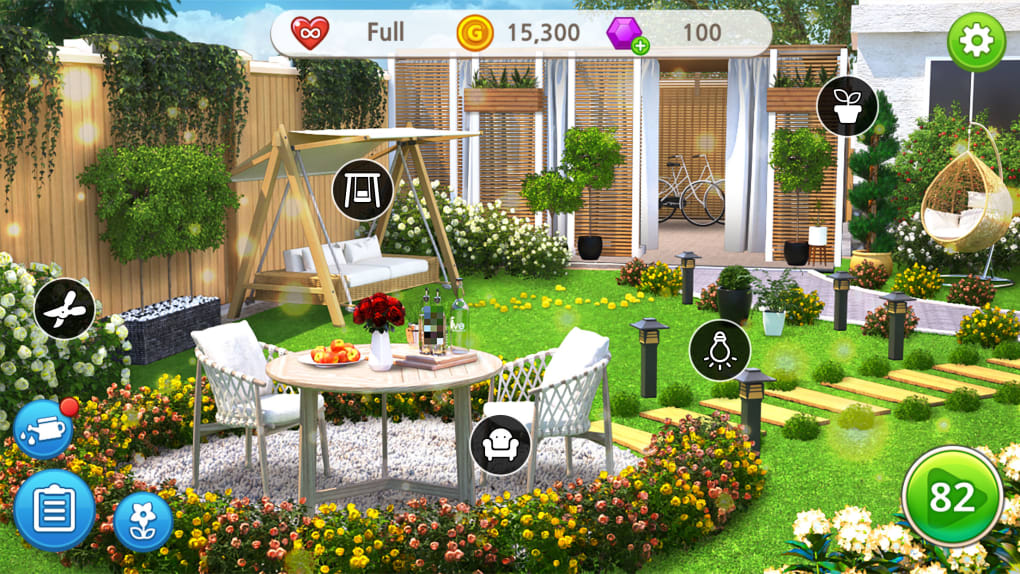
At its core, a design my dream room game is a simulation video game or interactive web application that puts you in the role of an interior designer. You are typically given a virtual, often empty, room—which could be a bedroom, living room, kitchen, or even an entire house—and a vast library of digital assets. These assets include everything from sofas, beds, and tables to rugs, lighting fixtures, artwork, plants, and paint colors. Your objective is to arrange these items within the space to create an aesthetically pleasing and functional environment that matches a specific theme, budget, or client brief.
These games exist on a fascinating spectrum. On one end, you have casual, browser-based games that are simple, fun, and perfect for a quick 10-minute creative break. On the other end, you find deeply complex simulation platforms used by professional designers and architects for client presentations, featuring accurate measurements, real-world product catalogs, and advanced lighting and material renderings. The common thread is the democratization of design—they make the principles of space planning, color theory, and furniture arrangement accessible to anyone with a screen. They transform the often-intimidating process of interior design into a playful, iterative experiment where the only consequence of a bad choice is a click of the "undo" button.
The Explosive Popularity: Why Everyone's Designing Virtually
The rise of the design my dream room game isn't a fluke; it's a cultural shift fueled by several powerful trends. First, there's the massive influence of social media platforms like Pinterest, Instagram, and TikTok. These platforms are visual goldmines of interior design inspiration, creating a widespread desire to curate beautiful personal spaces. However, actually executing those dream designs in real life is expensive, time-consuming, and permanent. Virtual games provide the perfect low-stakes testing ground for those Pinterest-perfect ideas.
Second, the global gaming industry's expansion into casual and hyper-casual markets has made these games incredibly accessible. You no longer need a expensive console or gaming PC; many of the best experiences are free-to-play on mobile devices or web browsers. This accessibility has turned room design from a niche hobby into a mainstream pastime. According to market research, the mobile gaming sector alone generated over $90 billion in revenue in 2023, with simulation and casual games capturing a significant and growing share of that market.
Finally, there's a profound psychological appeal. In a world that often feels chaotic and out of control, designing a perfect virtual room offers a sense of agency, order, and accomplishment. It’s a form of digital mindfulness—a focused, creative activity that provides clear feedback and a satisfying end result. This combination of creative expression, stress relief, and tangible (if virtual) outcomes is a powerful recipe for engagement.
The Incredible Benefits: More Than Just a Game
While the immediate fun is obvious, the benefits of regularly playing design my dream room games extend far beyond entertainment. They act as a stealthy training ground for valuable cognitive and practical skills.
1. Unleashing Unfiltered Creativity: In the virtual world, the laws of physics, budget constraints, and even structural reality can often be bent or broken. Want a floating bed? A ceiling made of stained glass? A living room with a full-sized indoor tree and a waterfall wall? You can do it. This freedom from real-world limitations is crucial for creative development. It encourages divergent thinking—the ability to generate a wide range of ideas—without the inner critic shouting about practicality. You learn to explore bold combinations that you might never have considered, some of which can be adapted into surprising, workable solutions for your actual home.
2. Mastering Spatial Awareness and Planning: This is one of the most practically transferable skills. Successful room design requires understanding scale, proportion, and traffic flow. You learn, through trial and error, that a giant sectional sofa will make a small room feel cramped, or that placing a bookshelf directly in front of a window blocks precious natural light. You develop an intuitive sense of measurement and distance. Many games even provide a grid or measurement tools, directly teaching you how to plan layouts to scale. This spatial reasoning is invaluable for real-life moving, furniture shopping, and home organization.
3. Learning Fundamental Design Principles: Without even realizing it, you absorb core concepts of interior design. You experiment with the 60-30-10 color rule (60% dominant color, 30% secondary, 10% accent) and see its impact firsthand. You learn about balance (symmetrical vs. asymmetrical), rhythm (repeating elements to create flow), emphasis (creating a focal point), and contrast (mixing old and new, smooth and textured). Each failed design attempt teaches you why something feels "off," and each successful one reinforces a principle of good design. It’s experiential learning at its finest.
4. Stress Reduction and Mindfulness: The act of carefully selecting a rug, placing a lamp, and adjusting a painting can be deeply meditative. It requires focused attention that pulls you into a state of "flow," where everyday worries fade into the background. The process is methodical, satisfying, and provides immediate visual rewards. Studies on coloring books and similar activities show their efficacy in reducing anxiety, and digital room design offers a similar, if more complex, therapeutic benefit. It’s a productive escape that leaves you with a sense of calm achievement.
5. Risk-Free Experimentation and Budget Planning: This is the ultimate safety net. Hate the way the blue paint looks with the oak floor? Change it in two seconds. Bought an expensive sofa in the game only to find it overwhelms the space? Return it instantly. This zero-risk environment allows for wild experimentation. Furthermore, many games incorporate budget mechanics, forcing you to make choices and prioritize. This directly translates to real-world financial planning for home projects, teaching you to allocate funds wisely between big-ticket items and decorative accents.
How to Play: A Step-by-Step Guide to Your First Design
Starting your journey in a design my dream room game can be daunting with all the options. Here’s a universal workflow to ensure a great result, regardless of the specific platform you choose.
Step 1: Define Your Vision and Constraints. Before you drag a single virtual item, open a notepad (or a digital document). Ask yourself: What is the room's primary function? (A serene bedroom vs. a vibrant home office). What is the desired mood or style? (Scandinavian minimalism, cozy cottagecore, sleek modern, bold maximalist). What is your virtual budget? Even if it's infinite, setting a self-imposed limit encourages clever choices. Write down 3-5 must-have items (e.g., "king-size bed," "reading nook," "large TV"). This pre-planning prevents aimless clicking and gives your design direction.
Step 2: Analyze the Virtual Space. Look at your empty room critically. Note the location and size of windows (this dictates lighting and furniture placement). Identify the architectural features (a fireplace, built-in shelves, a bay window) that can serve as natural focal points. Understand the traffic flow—where is the door? You don't want to place a sofa blocking the pathway. Measure the room's dimensions in your mind or using in-game tools. This spatial analysis is the critical first draft of your layout.
Step 3: Start with the Floor Plan (The "Skeleton"). Begin by placing the largest, most functional pieces first. This is your "skeleton" layout. In a living room, this is typically the sofa and any major seating. In a bedroom, it's the bed and dressers. Arrange these items to establish the room's primary zones (conversation area, sleeping area, work area). Don't worry about decor yet. The goal here is to get the flow and scale right. Use the game's measurement tools to ensure you have adequate walkway space (at least 2-3 feet for main paths).
Step 4: Layer in Secondary Furniture and Function. Once your skeleton is set, add the supporting actors. This includes side tables, chairs, desks, and storage units. Ask: Does every seat have a surface nearby for a drink or book? Is there sufficient storage without cluttering the space? Does the desk get good natural light? This layer is about enhancing functionality and beginning to define the room's character.
Step 5: The Magic Layer: Textiles, Lighting, and Decor. Now, the room comes to life. Add rugs to anchor seating areas. Introduce curtains, throw pillows, and blankets for texture and color. This is where your 60-30-10 color plan comes into play. Next, tackle lighting—a crucial but often overlooked element. Layer your light sources: ambient (overhead), task (desk lamp, reading light), and accent (picture light, shelf uplights). Finally, add the personal touches: artwork, plants, books, decorative objects, and personal mementos. This layer tells the story of who lives in the room.
Step 6: Critique, Refine, and Walk Through. Step back. Look at the room from multiple angles if the game allows. Does anything feel awkward? Is there a dead zone? Is the color scheme cohesive? Is there enough variety in heights and textures? Take a virtual "walk" through the space. Does the flow feel natural? Be your own harsh critic and iterate. The best designs are rarely created in one sitting.
Pro Tips for Stellar Virtual Designs: From Good to "Dream Room"
Want your designs to stand out and feel professionally polished? Move beyond basic placement with these advanced strategies.
Master the Power of Scale and Proportion. The most common beginner mistake is using items that are all the same size, creating a flat, monotonous look. Intentionally mix scales. Pair a massive, statement sofa with delicate, spindly-legged side tables. Hang a huge, oversized painting above a small, simple console. Use a tiny, intricate side chair to add interest beside a large, blocky bookshelf. This contrast in size creates visual interest and a sense of dynamic balance.
Embrace the "Rule of Three" and Odd Numbers. Our eyes find arrangements in odd numbers—particularly three or five—more natural, dynamic, and memorable than even numbers. Group three throw pillows on a sofa (varying sizes/patterns), hang a triptych of artworks, or place a cluster of three vases on a mantel. This simple trick instantly makes your decor look more curated and intentional.
Create a Clear Focal Point. Every room needs a visual anchor—a place for the eye to rest first. This could be a fireplace, a large window with a beautiful view, a headboard wall, a piece of art, or even a uniquely shaped piece of furniture. Design your layout to highlight this focal point. Arrange seating to face it. Use lighting to draw attention to it. Avoid competing focal points; if you have a stunning fireplace, don't also hang a massive TV directly above it. Let one element shine.
Texture is the Secret Weapon. A room with only smooth surfaces—wood, glass, metal—can feel cold and sterile, even if the color palette is warm. Layer textures relentlessly. Combine a nubby wool throw, a smooth leather chair, a rough woven rug, glossy ceramic vases, and matte linen curtains. Texture adds depth, warmth, and tactile interest that transforms a flat digital image into a space that feels inviting and real. In many advanced games, you can even see the subtle light play on different material finishes.
Don't Neglect Vertical Space. We often design at eye level, but the ceiling and floor are powerful canvases. Use tall floor lamps to draw the eye upward. Hang artwork or shelves high on walls to make ceilings feel taller. Consider a bold ceiling color or even wallpaper (a daring but stunning choice in games!). On the floor, ensure your rug is sized correctly—it should be large enough that at least the front legs of major furniture pieces sit on it, which helps define the space.
Top "Design My Dream Room" Games and Platforms to Try
The landscape is vast, so here’s a curated list based on different playstyles and platforms.
For Ultimate Realism & Professional Use:
- SketchUp Free: The industry-standard 3D modeling tool now has a free web-based version. It has a steep learning curve but offers unmatched precision and control for serious designers.
- Roomstyler 3D Planner: A fantastic free browser-based tool with a huge catalog of real-world furniture brands. It's excellent for creating to-scale floor plans and photorealistic renders.
- Planner 5D: Available on web and mobile, it strikes a great balance between user-friendliness and advanced features like 2D/3D modes and a massive item library.
For Casual, Fun, and Social Play:
- Redecor: A hugely popular mobile game that presents daily design challenges with specific themes, styles, and sometimes budgets. Players vote on each other's designs, creating a fun, competitive community.
- Design Home: Another mobile giant from Glu Mobile. It focuses on curating beautiful vignettes with real-brand furniture, often tied to current design trends. It's less about full room layout and more about styling and accessorizing.
- House Flipper: While primarily a renovation/repair simulation on PC and consoles, its decor mode is a deeply satisfying, sandbox-style room design experience where you can clean, repair, and then fully furnish entire properties.
For Pure, Unbridled Creativity (No Rules):
- The Sims 4 (Build/Buy Mode): This is the ultimate creative sandbox. With thousands of user-created custom content items (CC) available, you can design literally anything you can imagine, from fantasy castles to ultra-modern lofts. The building tools are incredibly powerful.
- Minecraft (Creative Mode): The block-based nature of Minecraft forces you to think about form, proportion, and texture in a unique, geometric way. It's a masterclass in building and spatial design with limitless possibilities.
Frequently Asked Questions About Dream Room Design Games
Q: Are these games actually useful for real-life interior design?
A: Absolutely, but with a caveat. They are exceptional for training your eye, learning spatial planning, and experimenting with style and color. You will become much more confident in making real-world decisions. However, they often lack the critical constraints of real physics, structural limitations, and true material costs. Use them for ideation and planning, but always double-check dimensions and feasibility before buying a real sofa.
Q: I'm not "artistic." Can I still be good at these games?
A: Yes! Interior design is less about innate artistic talent and more about understanding principles and practicing. Start by replicating rooms you love from magazines. Use the games' "copy" or "inspiration" features if available. Follow design blogs to learn the rules (like the 60-30-10 color rule), and then practice applying them. Your eye will develop quickly.
Q: What's the biggest mistake beginners make?
A: Ignoring scale and clutter. Beginners often place too many items in a room, making it feel crowded. They also use furniture that is all the same height or size, creating a flat, uninteresting look. Remember: negative space (empty space) is a design element too. Give furniture room to breathe, and vary the heights of your items (tall floor lamp, mid-height side table, low coffee table).
Q: Can these games help me decide on a real paint color?
A: They can be a helpful starting point, but not a final answer. The digital representation of color is heavily influenced by your screen's calibration and the game's rendering engine. A "soft gray" on your monitor might look blue or green in your actual room under your specific lighting. Always purchase small sample pots of real paint and test large swatches on your walls at different times of day before committing.
Conclusion: Your Dream Room Awaits—In More Ways Than One
The design my dream room game is far more than a fleeting digital distraction. It is a gateway to self-expression, a practical classroom for spatial reasoning, and a sanctuary for mindful creativity. It empowers you to translate the swirling ideas in your inspiration boards into tangible, tested layouts, all while having an immense amount of fun. The skills you build—understanding scale, balancing color, curating a space—are permanent assets that will serve you in every living situation you encounter for the rest of your life.
So, the next time you feel that pang of dissatisfaction with a corner of your home, don't just sigh. Open up a design simulator. Give yourself permission to play, to experiment with the wild, the elegant, the impossible. Design the room with the neon accent wall you'd never dare paint in reality. Arrange furniture in a layout that defies convention. Unleash your inner designer in the virtual sandbox first. You might just discover that the confidence, clarity, and creative solutions you find there are the very first, most important steps toward making your actual dream room a beautiful reality. Your perfect space is waiting to be designed—start clicking today.