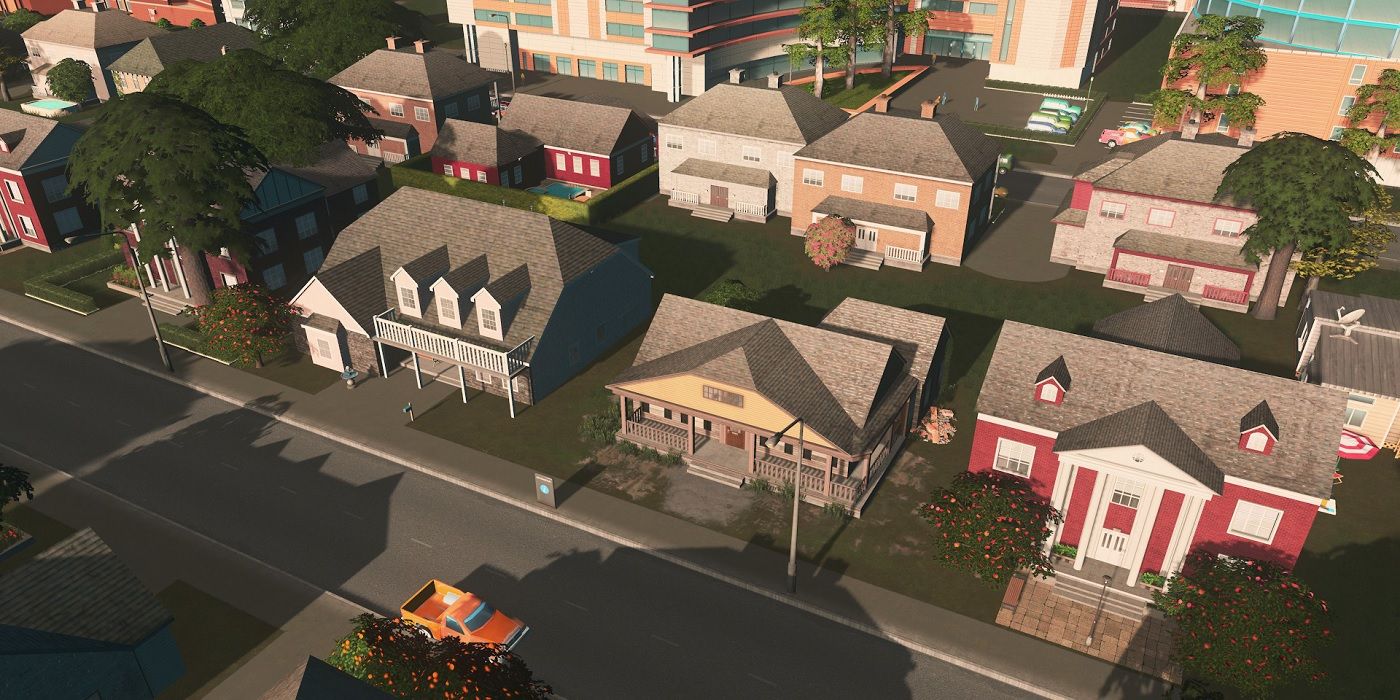
Design Your Own House Game For Kids: The Ultimate Creative Playground
Have you ever wondered how to channel your child's endless energy and creativity into something both fun and educational? What if there was a way for them to explore architecture, problem-solving, and design principles without ever picking up a physical blueprint? The answer lies in the captivating world of design your own house game for kids. These digital sandboxes are more than just entertainment; they are powerful tools for cognitive development, spatial reasoning, and unleashing boundless imagination. In a world where technology is ubiquitous, harnessing it for constructive, creative play is one of the best gifts we can give to the next generation of innovators, architects, and dreamers.
This guide dives deep into the vibrant universe of kids' design games. We'll explore why building virtual homes is so beneficial, review the top games that strike the perfect balance between fun and learning, and provide you with practical strategies to maximize their potential. Whether you're a parent, educator, or caregiver, understanding this space will equip you to support a child's journey from a playful builder to a thoughtful designer. Forget the notion that screen time is purely passive; with the right games, it becomes an active workshop for the mind.
Why Designing Your Own House is a Superpower for Kids
At first glance, designing a virtual house might seem like simple play. However, this activity is a complex cognitive workout disguised as fun. When a child decides where to place a window, how to stack rooms, or what color to paint a facade, they are engaging in systems thinking and creative problem-solving. They learn about scale, proportion, and functionality in an intuitive, hands-on way. Unlike traditional toys with fixed forms, digital design tools offer infinite possibilities, teaching children that there are often multiple solutions to a single problem. This fosters a growth mindset, where experimentation and iteration are not just allowed but celebrated.
The benefits extend far beyond basic creativity. These games are stealthy educators in spatial reasoning and geometric understanding. To build a stable structure, a child intuitively grasps concepts like balance, symmetry, and the relationship between 2D plans and 3D forms. Research consistently shows that strong spatial skills are a key predictor of success in STEM fields (Science, Technology, Engineering, and Mathematics). By manipulating virtual blocks or rooms, children develop a mental toolkit that will serve them in physics, engineering, and even mathematics. Furthermore, designing a space for imaginary families or characters nurtures empathy and narrative thinking. They consider the needs of their digital inhabitants—a cozy reading nook for a book-loving character, a secure garden for a pet—practicing user-centered design long before they know the term.
The process is also a masterclass in project management. A child starts with a vision, gathers materials, executes a plan, and revises based on the outcome. They face "failures" when a roof collapses or a room feels cramped, learning resilience and the importance of testing ideas. This iterative cycle of design-build-test-redesign mirrors the real-world processes used by professional architects and engineers. It’s a safe, low-stakes environment to experience the frustration and triumph of creation. Ultimately, empowering a child to design their own house validates their ideas and gives them agency over their creative world, building confidence that transcends the screen.
Top 5 "Design Your Own House" Games That Kids Love
The market is brimming with apps and games promising creative building, but not all are created equal. The best design your own house game for kids combines an intuitive interface with deep creative freedom and, ideally, some hidden educational value. Here are five standout titles that consistently earn praise from parents, educators, and young designers themselves.
1. Minecraft (Creative Mode)
It’s impossible to discuss creative building games without starting with the global phenomenon, Minecraft. While it has survival elements, its Creative Mode is the ultimate digital Lego set. With unlimited resources and the ability to fly, kids can construct anything from a cozy cottage to a sprawling medieval castle. The block-based, 3D environment is unparalleled for teaching spatial awareness and structural planning. Its open-ended nature means there are no instructions, only possibility. Many schools now use Minecraft: Education Edition to teach subjects from history (recreating ancient civilizations) to coding (using command blocks). For a pure design experience, Creative Mode allows a child to focus solely on architectural expression, learning about different materials, lighting, and scale through pure experimentation.
2. Toca Builders
Part of the beloved Toca Boca suite, Toca Builders is specifically crafted for younger children (ages 4-8). It replaces complex interfaces with charming, easy-to-manipulate characters who can move, rotate, and paint blocks. The design is brilliant: a child taps a builder character to enter "build mode," where they can place and color blocks from a palette. The focus is on joyful, open-ended creation without the pressure of survival or combat. It’s a perfect first design game that introduces core concepts of placement, color theory, and simple architecture in a brightly colored, safe, and ad-free world. The lack of text and clear visual cues make it accessible globally, fostering creativity without language barriers.
3. Roblox (with a focus on building games)
Roblox is a platform, not a single game, which is its greatest strength and a point of caution for parents. Within its vast universe are countless user-generated experiences centered on building and design. Games like "Welcome to Bloxburg" (a life-simulator with deep home-building mechanics) or "Lumber Tycoon 2" (focusing on resource gathering and construction) offer more structured building goals. The key here is curation. With proper supervision and using Roblox's parental controls to limit access to approved games, it can be a phenomenal platform. It exposes kids to user-generated content and even basic game design logic. They see how their builds function within a larger world, learning about interactivity and game mechanics alongside pure architecture.
4. The Sims 4 (Build & Buy Mode)
For older kids (recommended 12+), The Sims 4 offers a sophisticated and surprisingly educational design experience. Its Build & Buy Mode is a full-featured architectural tool with realistic room shapes, windows, doors, roofs, and landscaping. Children can design homes with functional floor plans, learning about traffic flow, room zoning (living, sleeping, utility), and architectural styles. The game's smart design tools, like auto-roof and room duplication, teach efficient planning. While it includes life simulation elements, the building aspect alone is a deep dive into practical interior design and architecture. It subtly teaches budgeting (simoleons), as beautiful designs require careful resource management.
5. Block Craft 3D
A simpler, more accessible alternative to Minecraft, Block Craft 3D focuses squarely on building. With a friendly, cartoonish aesthetic and a vast library of pre-made blocks (from basic bricks to themed items like dinosaurs and vehicles), it’s ideal for kids who want to create specific structures quickly. The game often includes themed building challenges ("build a school," "build a zoo"), which provide gentle guidance and spark new ideas. Its simplicity reduces the overwhelming choice of a game like Minecraft, making it a great stepping stone. The satisfaction of placing a detailed, pre-textured block to create a recognizable object (like a fire hydrant or a palm tree) provides immediate positive feedback and encourages continued creation.
How Parents Can Turn Screen Time into Skill-Building Time
Simply handing a device to a child with a design game installed is a missed opportunity. Parental engagement transforms passive consumption into active learning. The most powerful tool you have is curiosity and conversation. Ask open-ended questions about their creations: "What's the favorite room in your house and why?" "How did you decide to put the staircase there?" "What would you change if you built it again?" These questions encourage them to articulate their design thinking, reflect on their choices, and justify their decisions—a crucial skill for any designer.
Co-playing is another incredibly effective strategy. Sit down and build together. You can take turns adding sections, challenge each other with specific building tasks ("Let's build a house that's entirely underground!"), or you can play the role of the "client" giving them requirements ("I need a house with three bedrooms, a large kitchen, and a slide from the second floor"). This mimics real-world design constraints and teaches them to work within parameters. It also creates precious bonding time and allows you to gently guide them toward exploring new tools or techniques within the game.
Bridge the digital and physical worlds. Encourage them to sketch their designs on paper before or after building them digitally. This reinforces the connection between 2D representation and 3D form. You can also provide real-world building materials—Legos, magnetic tiles, cardboard boxes—and challenge them to recreate their virtual house in physical space. This tactile experience solidifies spatial concepts and shows that design principles apply whether you're using digital blocks or cardboard. Finally, explore architecture together in your community. Point out different house styles, roofs, windows, and materials during a walk. Relate it back to their game: "Look at that bay window! That's like the one you built last week." This contextualizes their play and deepens their observational skills.
The Secret Educational Benefits You Might Be Overlooking
While creativity and spatial skills are obvious benefits, design your own house game for kids cultivates a suite of less-discussed, yet vital, competencies. One is computational thinking. Many modern building games, especially those with redstone circuitry (Minecraft) or logic-based plugins, introduce foundational coding concepts. To make a working door, a drawbridge, or even a simple light switch, a child must learn about cause and effect, sequences, and conditional logic ("if this button is pressed, then activate that piston"). This is a natural, engaging introduction to programming logic without a single line of code.
These games also teach resource management and economic principles. In games with a cost or resource-gathering element (The Sims, Roblox experiences), a child quickly learns that beautiful designs require planning and budgeting. They must decide: "Do I spend my resources on a bigger house or more luxurious furniture?" This introduces concepts of trade-offs, scarcity, and prioritization—core tenets of economics. It’s a hands-on lesson in opportunity cost.
Furthermore, design games are a hub for collaboration and community engagement. In multiplayer platforms like Roblox or shared Minecraft worlds, children collaborate on massive building projects. This requires communication, negotiation, division of labor, and conflict resolution. They learn to give and receive constructive feedback on each other's builds, developing social skills and an understanding of collaborative design. They might be building a virtual city together, requiring them to think about zoning (residential vs. commercial) and infrastructure—a crash course in urban planning. This social, collaborative layer transforms solitary play into a rich social learning experience, teaching teamwork on a global scale.
Navigating Safety and Screen Time in the Digital Playground
The digital world, however, requires mindful navigation. The primary concerns with any online game for kids are safety, privacy, and appropriate content. For games like Roblox or public Minecraft servers, the risk of exposure to inappropriate language, behavior, or user-generated content is real. The first line of defense is strict use of parental controls. Every major platform (iOS Screen Time, Google Family Link, console parental controls, and in-game settings) offers robust tools. Use them to restrict communication features (chat, messaging) to friends only or disable them entirely for younger children. Curate allowed games meticulously. For Roblox, use the "Account Restrictions" feature to limit gameplay to curated, age-appropriate experiences.
The second major concern is screen time management. The immersive nature of these games can lead to excessive use. Establish clear, consistent rules around when and for how long these games can be played. Use built-in timers or external apps. More importantly, frame screen time as one activity among many. Encourage a balanced "play diet" that includes physical play, reading, and offline creative pursuits. The goal isn't to ban these fantastic tools but to integrate them healthily. Discuss with your child why time limits exist—to ensure their eyes rest, their bodies move, and they engage with the world in multiple ways.
Finally, model good digital citizenship. Talk to your child about online behavior, even in a creative game. What does it mean to be a respectful collaborator? How do you give feedback on someone's build? How do you handle it if someone criticizes yours? Use the game as a springboard to discuss broader themes of kindness, respect, and positive community participation. By actively engaging with their digital play, you turn potential risks into valuable lessons about digital literacy and responsible technology use.
The Future of Play: Where Virtual Design Meets Real-World Skills
The trajectory of design your own house game for kids points toward an even more integrated and powerful future. We are already seeing the rise of augmented reality (AR) building apps, where children can place virtual structures in their actual living room or backyard. This blurs the line between digital imagination and physical space in a profound way, enhancing spatial understanding by anchoring virtual creations to real-world scale and context. Imagine a child designing a fort on their tablet and then seeing it "appear" in their backyard through AR glasses.
Furthermore, the link between these games and formal education and career pathways is strengthening. Platforms like Minecraft: Education Edition are used in thousands of schools worldwide to teach everything from chemistry (building molecules) to history (recreating historical sites). The skills honed in these games—systems thinking, 3D modeling, basic logic—are directly transferable to CAD (Computer-Aided Design) software used in professional architecture and engineering. Early exposure demystifies these fields and can spark a lifelong passion. Some forward-thinking programs even use simple game design to introduce urban planning and sustainable design concepts, asking kids to build eco-friendly cities.
The ultimate evolution may be the seamless integration of physical computing. Imagine a child designing a house in a game and then using a simple, kid-friendly coding platform (like Scratch or a block-based language) to program a small robot to navigate the floor plan they created, or to control smart-home features they've designed. This fusion of virtual design, coding, and physical robotics represents the pinnacle of STEAM (Science, Technology, Engineering, Arts, Mathematics) education, creating a holistic learning experience that is deeply engaging and profoundly relevant to the 21st century. The child who designs a virtual house today might be designing a real, sustainable, smart home tomorrow.
Conclusion: Building More Than Just a Digital Home
The world of design your own house game for kids is a testament to the power of play as a vehicle for profound learning. These games are not mere distractions; they are digital studios where the architects of tomorrow first learn to dream, plan, and build. They nurture creativity, sharpen spatial and logical reasoning, teach resilience through iteration, and foster collaboration in global communities. From the blocky landscapes of Minecraft to the charming simplicity of Toca Builders, each tool offers a unique gateway into the principles of design and engineering.
As parents and educators, our role is to guide, not to restrict. By engaging with their interests, asking thoughtful questions, and providing a balanced play diet, we can help children extract the maximum educational value from their digital adventures. We can bridge their virtual creations to the physical world through sketches, Legos, and neighborhood walks. We can teach them to navigate online spaces safely and responsibly, turning potential pitfalls into lessons in digital citizenship.
Ultimately, when a child sits down to design their own house—whether a floating treehouse, a futuristic pod, or a cozy cottage—they are doing more than arranging digital blocks. They are practicing empathy by designing for inhabitants, exercising logic to make structures stand, and expressing their unique vision of the world. They are building confidence, one virtual brick at a time. So, the next time you see your child engrossed in a building game, lean in, look over their shoulder, and ask, "Tell me about the world you're creating." You might just be witnessing the first draft of a brilliant future.